It does exactly what you need: captures video, runs object detection model on video stream, tracks detected objects, counts tracked objects in zone, generates events when there are objects in zone, sends notifications on such event, and saves video clips around events.
It uses chain of analyzers directly attached to the model via degirum_tools.attach_analyzers(). Note how events are detected using EventDetector analyzer and video clips are saved using EventNotifier analyzer.
Another way to apply a chain of analyzers is to use AiAnalyzerGizmo as you suggested. This way all analyzers will run in a thread separate from the thread which runs model inference.
Also, if you need some custom processing of results in gizmo composition, you may develop your own gizmo: just inherit degirum_tools.streams.Gizmo class and implement __init__() and run() methods. If you are interested in this, I can provide guidance.
And yet another way to apply your own code to results is to develop your own analyzer (may be this will be the simplest). Then you attach your analyzer in a chain of analyzers at the right place. Note that analyzers are applied to each inference result one by one in sequential order.
Example of simple analyzer, which patches object class label:
class LabelPatcher(degirum_tools.ResultAnalyzerBase):
    def __init__(self, new_label):
        self.new_label = new_label

    def analyze(self, result):
        for r in result.results:
            if "label" in r:
                r["label"] = self.new_label
        return result
You got the idea: you implement analyze() method which receives result argument, which is your inference result. Then you do whatever you want with it.
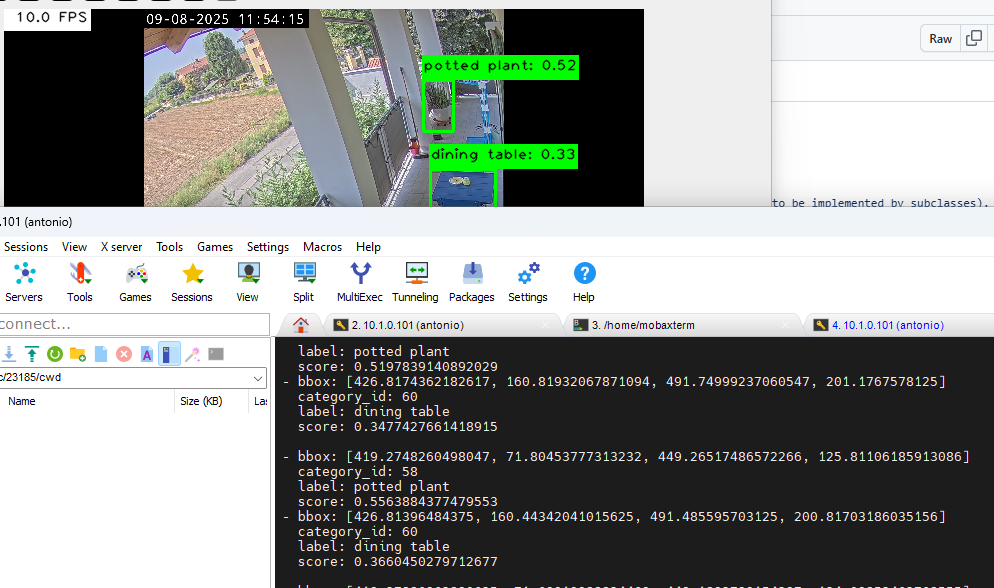
For testing I duplicated che AiSImpleGizmo as AiCustomGizmo and here I can access to inference result and implement custom code.
I just added the printout of the result on console but here I will work with some non blocking code, maybe I will implement some queues to avoid to slow down the Gizmo pipeline.
New Custom Ai Gizmo
class AiCustomGizmo(AiGizmoBase):
    """AI inference gizmo with no custom result processing.

    Passes through input frames and attaches the raw inference results to each frame's metadata.
    """

    def on_result(self, result):
        """Append the inference result to the input frame's metadata and send it downstream.

        Args:
            result (dg.postprocessor.InferenceResults): The inference result for the current frame.
        """
        # start custom code processing inference result
        print(result)
        # end custom code

        new_meta = result.info.clone()
        new_meta.append(result, self.get_tags())
        self.send_result(StreamData(result.image, new_meta))
code modified replacing AiSimpleGizmo with AiCustomGizmo
@anto.ferro , well, good catch! What happens: result object is created, then all analyzers attached to the model are applied to it, and only then class filter is applied to result object. Eventually, class filter will be applied, but all analyzers see results before filtering.
At the end, comparing different solutions I found out the one that works for me.
Gizmos and Streams is a very good starting point using Queues but the most pain to take in consideration is the bottleneck introduced by the last Gizmo due to the behavior of Queue.
For example, display Gizmo can slow down inference fps (hailo monitor show exactly what is going on).
In may case, I need just get the results maintaing a solid 10 fps inference and forward them to another Thread or by Mqtt to another system that will manage NVR notification (to make smarter the system without smart cameras)
My best solution is to create a new AiGizmoBase class assuming I will not have any Gizmos after in the chain and I use the on_result just to enqueue the result to another standard Queue.
I’m not using another Gizmo but a normal Queue because I can manage a big queue size/buffer and not touch the Gizmo frames code.
Here my example
class AiMqttGizmo(dggizmos.AiGizmoBase):
    def on_result(self, result):
        for r in result.results:
            result_queue.put([result.image_overlay, result.results])

class ResultParserThread(threading.Thread):
    def __init__(self, q):
        self.q = q
        super().__init__()

    def run(self):
        while True:
            # Mqtt code here


result_queue = queue.Queue(100)
parser = ResultParserThread(result_queue)
parser.start()

# Gizmo rulez
source = dgstreams.VideoSourceGizmo(video_source)
resize = dgstreams.ResizingGizmo(640, 640)
detection = AiMqttGizmo(model)

dgstreams.Composition(source >> resize >> detection).start()
I hope it can be useful for other and it demostrates how it is pretty smart the DeGirum code.
Please be advised that all gizmos with inputs have two parameters that control input queue behavior: stream_depth and allow_drop.
stream_depth parameter specifies the depth of the gizmo’s input queue. By default it is 10.
allow_drop parameter controls queue overflow behavior, by default it is False. When set to False, adding element to a full queue blocks producer. When set to True it causes removing and dropping the oldest element in the queue to free up space for new element.
If the bottleneck is video display gizmo, and you are OK to drop frames on display, just set allow_drop=True for that gizmo instance.